


 Jonas Dießelberg
Die Zusammenarbeit ist angenehm, unkompliziert und zuverlässig. Ich freue mich auf weitere gemeinsame Projekte!


Plan appointments and assignments quickly and easily. Staff, vehicles and equipment at a glance!
Plan appointments and assignments quickly and easily. Staff, vehicles and equipment at a glance!
Plan appointments and assignments quickly and easily. Staff, vehicles and equipment at a glance!
Jonas Dießelberg Thomas Volke
 Michael Faha
 Elena Wagner
 Martin Slotosch
 Peggy P.
 Tanja Strohmaier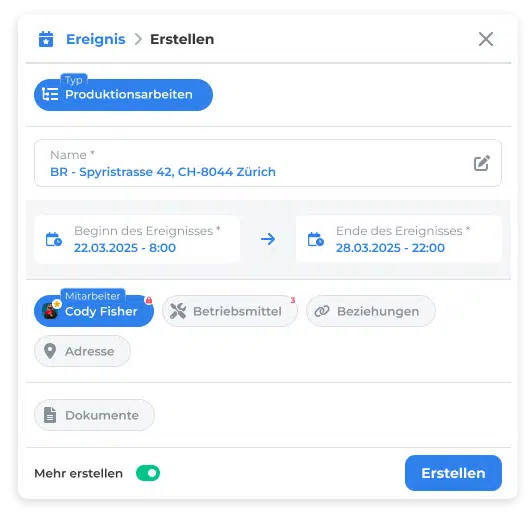
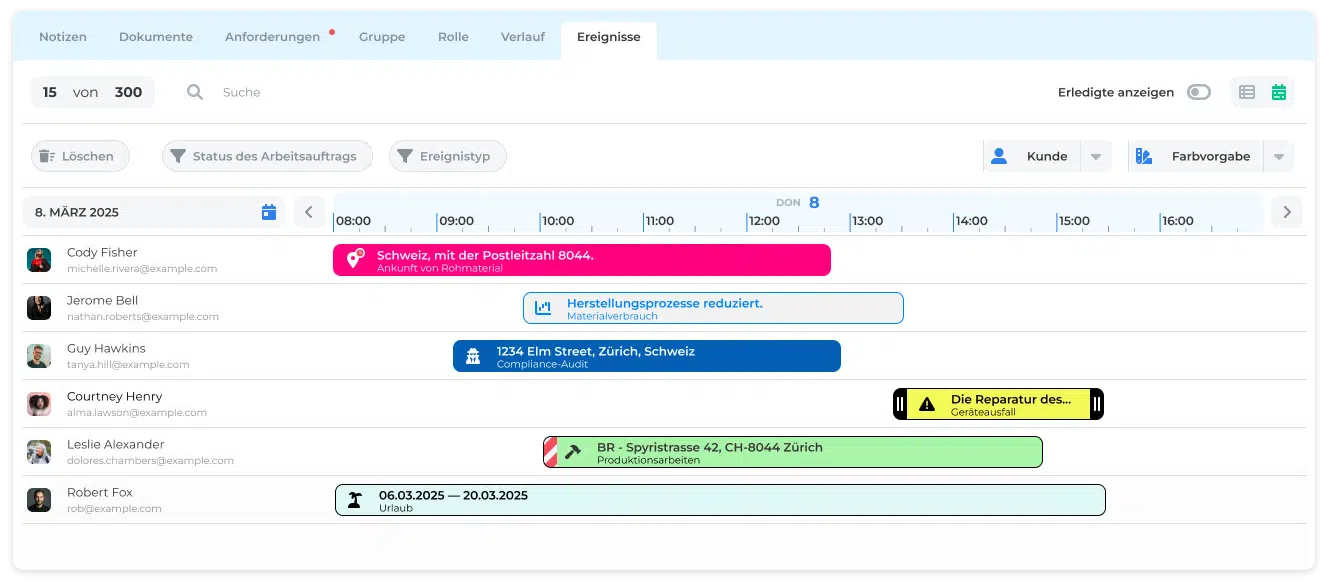
All planned appointments, assignments and resource allocations are shown in a clear calendar view – as a day, week or month view. In addition to classic appointments, multi-day projects, shift plans or series of assignments can be planned and adjusted at any time.
In addition to the flexible day, week or month view, the central assignment overview offers further customisation options: users can filter by specific status or event types – for example to show only confirmed appointments, planned maintenance or completed assignments. The combinable filter function also lets you show or hide employees, equipment or locations so that you keep track even in complex plans.
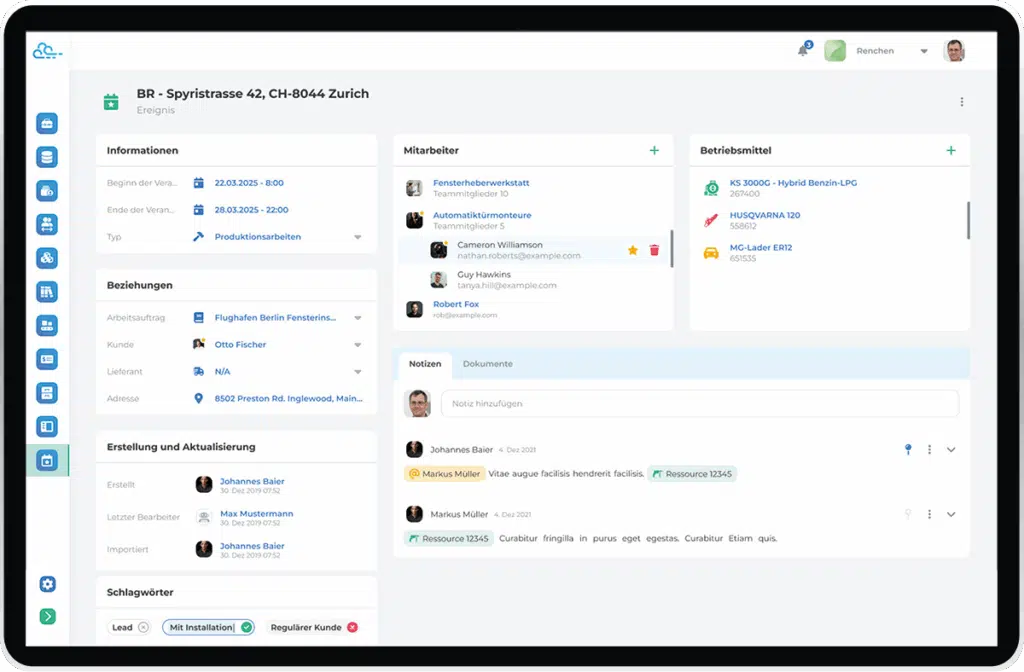
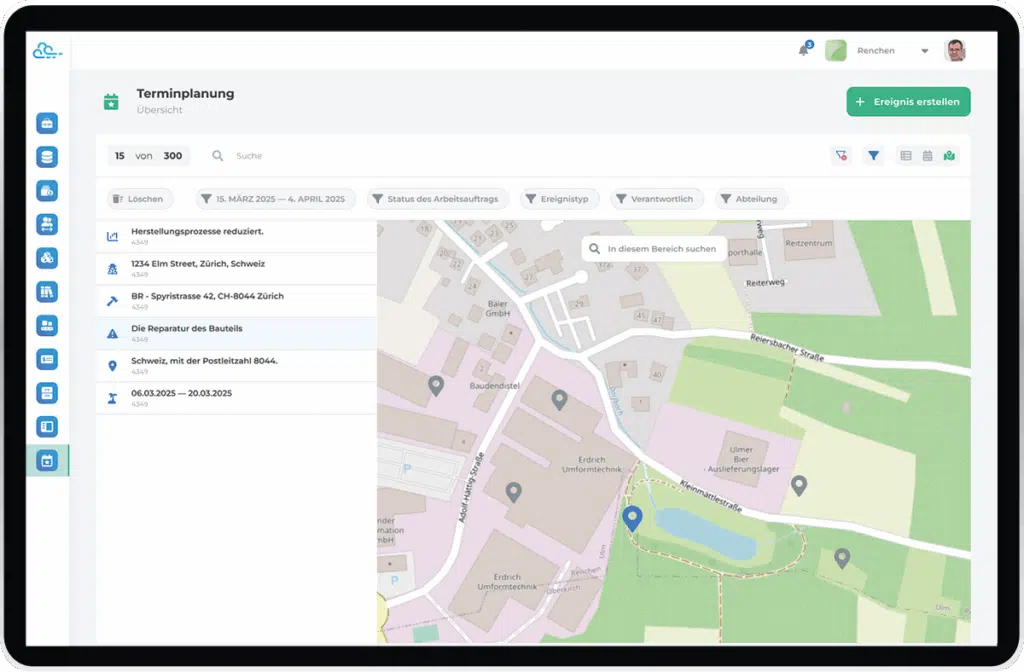

Manage and schedule technical equipment, vehicles, tools or other resources to avoid double bookings and optimise utilisation. The system automatically checks availability and points out conflicts.
Typical features:

Scheduling is not an isolated system: deep integration with modules such as CRM, human resources or resource management creates a continuous planning process – from the enquiry to carrying out the assignment.
Examples of cross-module workflows:

As soon as an appointment is planned, moved or changed, the people involved receive a notification – by e-mail or app if desired. This ensures that all information is up to date and communication channels are shortened.
Options:
Keep track of utilisation, resource efficiency and bottlenecks at all times. Thanks to structured data, plans can be analysed in retrospect and improved for the future.
Key figures & options:

Whether in service assignments, project execution, maintenance or field service – the scheduling and resource planning module creates clarity, efficiency and transparency in resource management. Combined with the other Craftcloud modules, it creates a strong digital workflow for every organisation with operational business.
As the name suggests, Craftcloud is software developed consistently with modern cloud and web technologies.• Ready to go without installation• No servers of your own required• Administration included• Access from any internet-enabled device
Craftcloud handles your data with care, backs it up against failure and protects it from unauthorised access• Backups protect against data loss in case of server failure• GDPR-compliant• Interfaces for using existing data and providing data from Craftcloud
Apps for smartphone and tablet are available for mobile use on the go or on site. At the workplace, the software is accessed via the browser.• Modern, attractive and self-explanatory design• Intelligent user guidance• Customisable appearance
Craftcloud does not leave you alone. Support and updates are installed automatically and continuously. Beyond the software, we offer competent advice.• Competent advice on all questions of digitalisation• Maintenance and updates included• Support selectable as required• Access to help and training material included• Individual training possible

We know our way around digitalisation and come from the medium-sized construction industry ourselves. Our team around our founder and managing director Johannes Baier has been working on digitalisation, software development and sales in the construction industry for years. Talk to us about your project. We will be happy to advise you!
You need to load content from reCAPTCHA to submit the form. Please note that doing so will share data with third-party providers.
More InformationYou are currently viewing a placeholder content from Turnstile. To access the actual content, click the button below. Please note that doing so will share data with third-party providers.
More InformationYou are currently viewing a placeholder content from Facebook. To access the actual content, click the button below. Please note that doing so will share data with third-party providers.
More InformationYou are currently viewing a placeholder content from Instagram. To access the actual content, click the button below. Please note that doing so will share data with third-party providers.
More InformationYou are currently viewing a placeholder content from TrustIndex. To access the actual content, click the button below. Please note that doing so will share data with third-party providers.
More InformationYou are currently viewing a placeholder content from Typeform. To access the actual content, click the button below. Please note that doing so will share data with third-party providers.
More InformationYou are currently viewing a placeholder content from X. To access the actual content, click the button below. Please note that doing so will share data with third-party providers.
More Information